What is RGB, what is CMYK? And how to convert RGB to CMYK?
By teamnext Editorial Team
RGB stands for red, green, blue. All RGB color spaces are based on these three primaries.
CMYK stands for cyan, magenta, yellow, key, meaning cyan, magenta, yellow, and black. The CMYK color model uses three chromatic inks plus black as a fourth component. Key is the traditional English term for the black channel.
Color theory basics
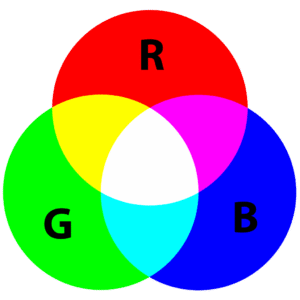
RGB colors are light colors. They work additively, by adding light. Visible light can be split into spectral colors. The primaries correspond to wavelength ranges:
• blue as short wavelengths
• green as medium wavelengths
• red as long wavelengths
Overlapping red, green, and blue light in different intensities creates a wide range of colors.

The human eye has three types of cone receptors. Each is specialized for a wavelength range.
Additive mixing examples:
• red plus green becomes yellow
• red plus blue becomes magenta
• red plus green plus blue becomes white
CMYK colors are printing inks and therefore surface colors. They do not emit light. They require an external light source. They work subtractively. Parts of the spectrum are removed to create the perceived color.
In relation to light colors, the inks act roughly as filters:
• cyan removes long wavelengths, acting as a red filter
• magenta acts as a green filter
• yellow acts as a blue filter
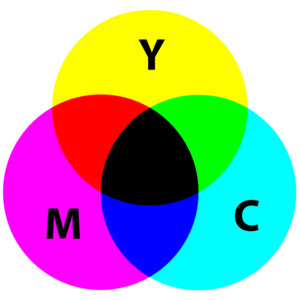
White in the subtractive model is the state where nothing is subtracted. In CMYK this means:
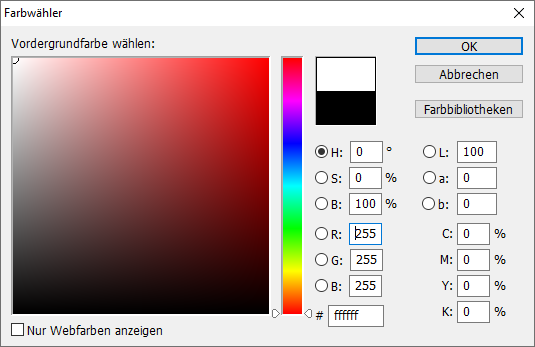
• cyan, magenta, yellow, and black are all set to 0
Screen colors vs print colors
Screen colors are light based. Print colors are ink based.
A screen pixel consists of three subpixels:
• red
• green
• blue
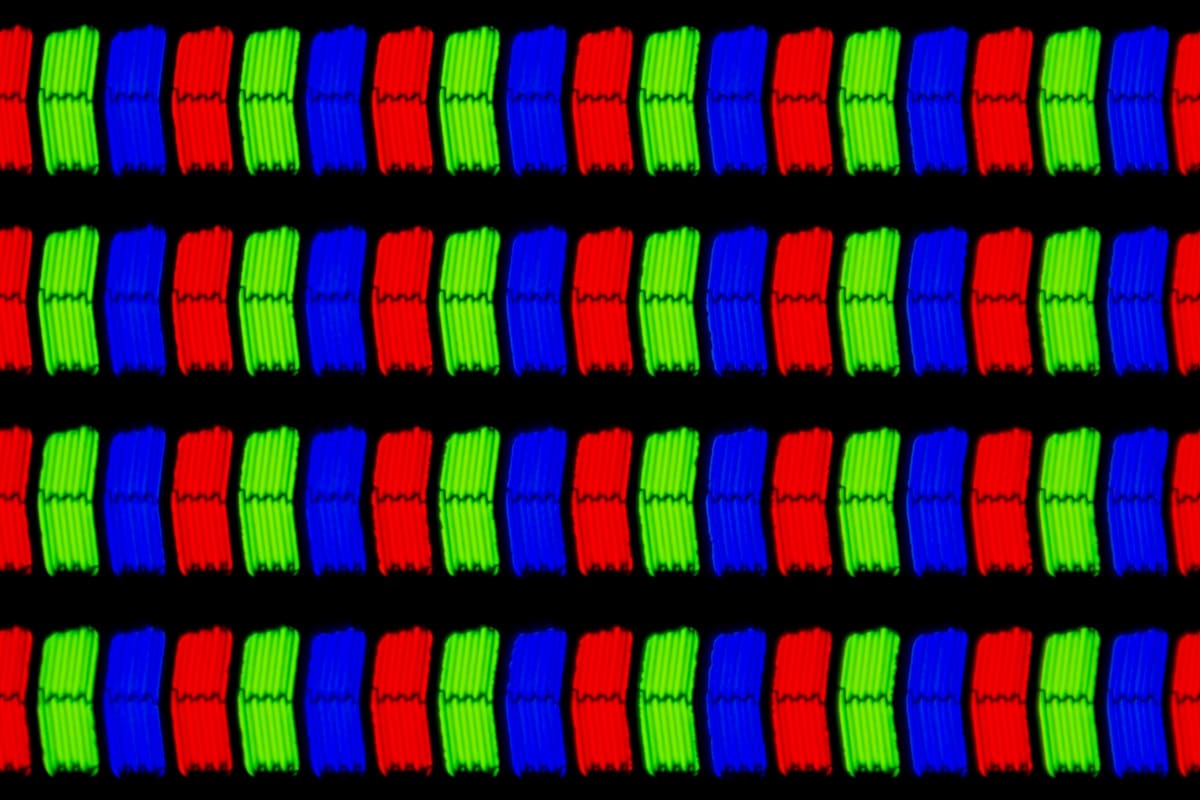
LCD display under a microscope: the RGB subpixels become visible.
The intensity of each subpixel is controlled. At typical viewing distance, this produces the perceived pixel color.
In digital printing, ink is usually applied to white paper. White paper reflects all wavelengths diffusely under illumination. During printing, ink or toner is applied in layers, typically:
• cyan
• magenta
• yellow
• black
* A mirror also does this, but directly, because it has a particularly smooth surface.
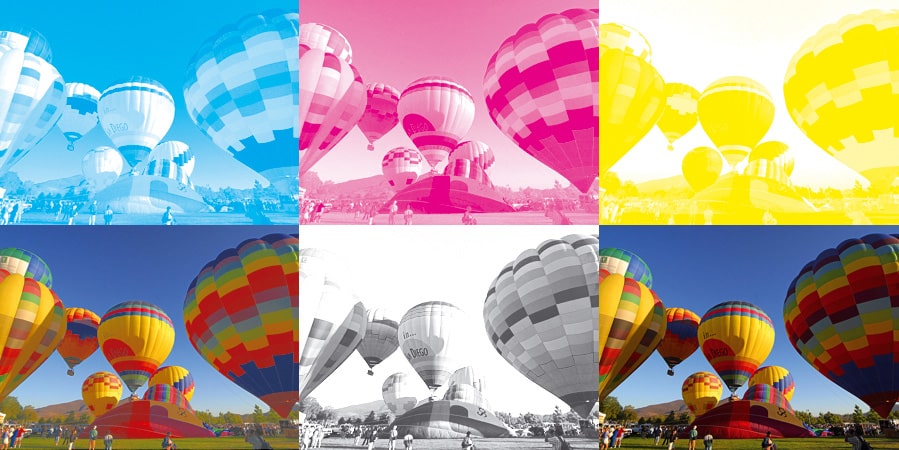
Converting RGB to CMYK
In practice, deep work with color spaces and profiles is mainly relevant for professional print production. Many workflows convert RGB values automatically for print output, and small differences are acceptable in many cases.
In professional environments, differences are minimized, but they cannot be eliminated:
• print does not emit light, it reflects light
• RGB usually has a larger gamut than CMYK
• conversion therefore involves gamut clipping and loss of color information
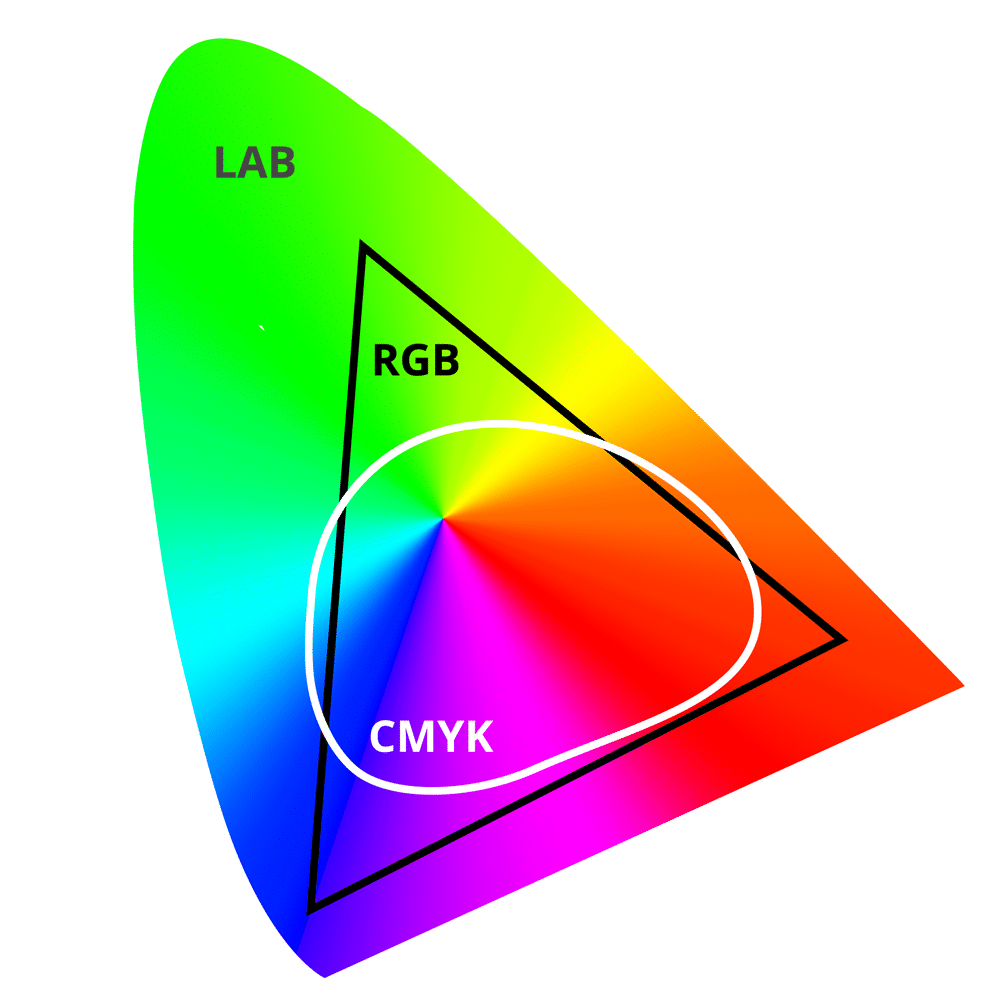
The chart illustrates the different gamuts of RGB and CMYK within the LAB color space, which covers the range of colors the human eye can perceive.
Differences are often small. However, brand colors can require tighter control. In such cases, spot colors may be used in addition to CMYK when a specific color cannot be produced reliably with process inks.
Converting CMYK to RGB
CMYK can also be converted to RGB. This conversion is also approximate due to different gamuts. For many use cases this is not critical. Differences can already result from different monitor settings.
Tip: A conversion tool for both directions is available at farbtabelle.at/farben-umrechnen.
RGB is not always the same RGB
sRGB
sRGB stands for standard RGB. It was defined in 1996 through cooperation between Hewlett Packard and Microsoft and became the industry standard. Its gamut is limited. Some colors achievable in CMYK printing are not representable in sRGB.
Adobe RGB
Adobe RGB extends the gamut, especially in green and cyan green tones. The goal is to reduce differences between screen output and print. Specifications were published in 1998. Adobe RGB is commonly used in professional imaging and design.
CMYK profiles
CMYK is not a single fixed definition. Profiles differ based on printing process and paper.
In Europe, ISO Coated v2 is widely used for industrial offset printing on coated paper.
For digital printing, eciCMYK v2 is often referenced. Many additional profiles exist for specific devices and materials.
Color model vs color space vs color profile
A color model is a mathematical method for describing colors, independent of physical devices.
A color space maps real reproducible colors to a color model. It describes which colors can be reproduced in a specific medium. sRGB and Adobe RGB are color spaces based on the RGB model.
Color profiles help convert color values. They are device specific and aim to preserve perceived color across different output media. Standardized profiles often use the ICC label, which stands for International Color Consortium.