What defines good image management?
By teamnext Editorial Team
• a professional activity
• the software used to perform that activity
More precise terms are image management software or an image management system. In everyday language, the shorter term is common, and the intended meaning depends on context.
From image archives to Digital Asset Management
Image management as a discipline predates digital systems. Earlier approaches relied on card catalogs, inventory lists, and finding aids. Today, the focus is on managing digital image content, including moving images.
Typical asset types include:
• photos
• graphics
• videos
Many systems also cover additional media types:
• presentations
• PDF documents
The established technical term is Digital Asset Management, or DAM. It refers to professional management of image and media assets. The term implies that media can represent business value. In an organizational context, prioritizing assets with practical relevance for marketing and sales is often useful. Outdated or unusable content should be removed consistently.
Why do organizations need professional image management?
Basic cloud storage and file sharing typically focus on storage and exchange. Professional image management adds metadata and governance capabilities.
Common metadata includes:
• captions
• tags and keywords
• licensing information
• copyright notices
• references to consent documentation
Key outcomes include:
• faster retrieval
• reduced legal risk
• location independent access for authorized users
• more efficient collaboration
• faster production workflows for media assets
Efficiency as a core principle
A common best practice is central storage of all files:
• in the original version
• with a unique file name
Derivatives for other formats or resolutions should be generated from the original file. The same principle applies to albums, collections, and curated sets. Assets are not physically duplicated. They are organized through references. This reduces persistent duplicates and helps keep the system lean.
Sharing and distribution are another core area. Permissions are typically controlled by roles and rules:
• access
• editing
• download
This increases reuse of existing assets. Modern systems also support efficient metadata work through features such as:
• batch processing
• bulk keywording
• bulk renaming
• auto import
• search and replace
State of practice in 2024
Modern image management systems often include:
• browser based access
• an intuitive user interface
• strong security controls
• cloud based deployment without additional installation
A clear trend is the use of machine learning. AI modules can reduce routine work by analyzing content automatically.
Typical capabilities include:
• face recognition
• object recognition
• automated tag generation
Duplicates can also be detected during upload in many systems, which helps prevent redundant libraries.
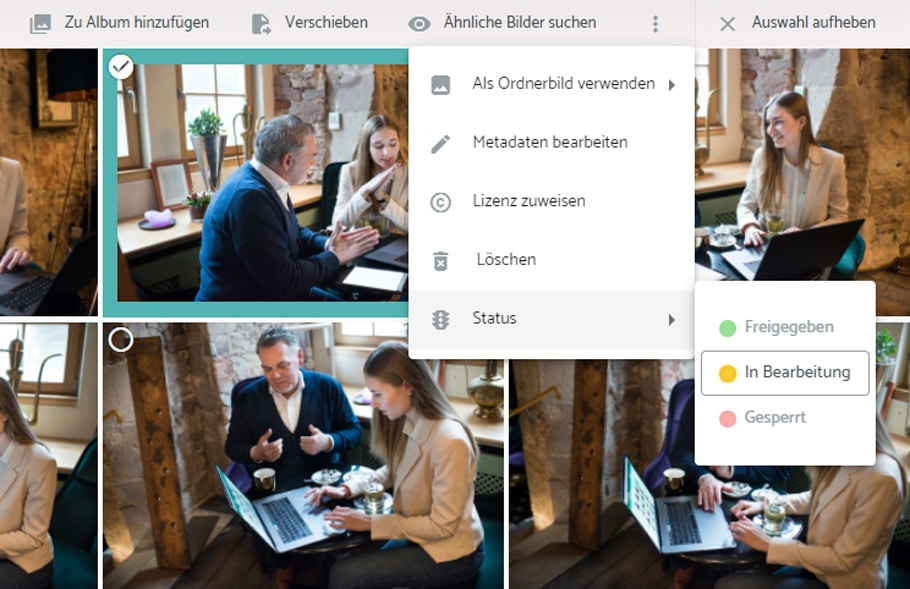
Another relevant feature is file status management. Visible status information stabilizes workflows, for example:
• in progress
• approved
• blocked
Rights management, face recognition, and automated keywording in the teamnext image management system
Defining file status. Screenshot from the teamnext image management system
Conclusion
Image management increases the value of existing media assets and speeds up internal processes. This creates capacity for creative work and supports consistent brand output. Professional image management comes with costs. Common cost drivers include:
• number of user licenses
• contract term, monthly or yearly
• storage volume used
In many cases, the investment pays back through reduced search time, fewer errors in usage, and faster production workflows.