What is Digital Asset Management? Core benefits and fundamentals
By teamnext Editorial Team
• recognition, for example in art
• functional role, for example as advertising material
• exclusivity
Typical digital assets include:
• photos
• graphics
• videos
In principle, other content types can also be digital assets:
• text documents
• presentations
• audio files
• multimedia content
The key criterion is that the file contains intellectual property or cultural value that can be used or monetized.
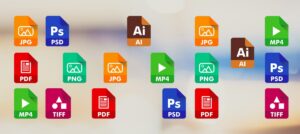
Digital assets exist in many formats, for example:
• raster images: JPEG, TIFF, RAW
• vector graphics: AI, CDR, SVG
• video: MP4, AVI, MOV
• documents: PDF, DOCX, ODT
A DAM system should support common media and document formats.
A common misunderstanding is addressed here. This text is not about NFTs. NFTs can represent digital assets, but the focus here is file and media management, not blockchain based trading.
Digital Asset Management as a cloud solution
Even in larger organizations, photos and videos are often stored in an unstructured way across:
• local computers
• external hard drives
• USB sticks
• other storage media
This reduces accessibility and makes it hard to maintain oversight. In the worst case, data is lost when storage devices fail or when no central backup exists.
A traditional approach is to store assets on an internal server. This enables:
• regular backups
• duplicate checks
• secure internal access
A cloud based solution provides these capabilities and adds benefits such as:
• location independent access without relying on a VPN as the default setup
• software updates handled by the provider
• geo redundancy through replication across separate data centers
If the solution is browser based and responsive, it can be used across devices, including desktop, smartphone, and tablet. A stable internet connection remains a prerequisite.
What does a DAM system provide?
A DAM system is not only about order. It also creates advantages in marketing, collaboration, and compliance. The following lists summarize key capabilities and typical outcomes.
1. Capabilities a DAM system should cover
• support for common file formats
• automated import and intelligent parsing of existing metadata
• tools to create and edit metadata
• metadata export
• batch processing
• customizable keyword structure, multi dimensional
• file conversion and export tools
• advanced search and filtering
• tools for fast and secure sharing across channels
• management of image licenses and consent documentation
• digital rights management, DRM, and tracking
• granular user and permission management
State of the art:
• AI support for automatic face and object recognition
• an integrated content hub, media portal, for large external audiences

2. Outcomes enabled by professional DAM
• find files instantly and share them securely
• professionalize external media output
• ensure consistent brand experiences
• improve campaign efficiency
• reduce unused digital resources
• track media usage
• reduce unauthorized use, for example via protection and watermarking
• simplify collaboration
• speed up workflows
• increase productivity
• reduce legal risk
• maintain complete documentation
Who uses Digital Asset Management?
DAM is relevant across many industries. In the stock photo business, DAM is a core operational requirement because licensing is the business model. Professional photographers also use DAM to manage and monetize their libraries. Libraries, archives, and research institutions use DAM mainly to store and provide access to digitized collections.
Within profit oriented organizations, typical internal functions include:
• marketing
• public relations
• corporate communications
• sales
• HR
External stakeholders often include:
• photographers
• journalists
• agencies
• customers
• clients
• partners
• sponsors
External stakeholders benefit from controlled access, uploads, and downloads. This supports practical use cases, such as upload permissions for photographers or press ready downloads for journalists.
What does a Digital Asset Manager do?
A DAM system relies on roles and permissions. Many user groups need access only for specific tasks. Administrative functions are usually restricted to administrators.
Typical responsibilities include:
• structuring the media library, folders, albums, collections
• uploading, reviewing, approving, and distributing assets
• building controlled vocabularies, keyword trees, synonyms
• tagging media and documents
• maintaining structured metadata using standards such as IPTC and Dublin Core
• metadata optimization through cleanup and enrichment
• managing licenses and consent documentation
• archiving and versioning
Modern DAM systems reduce manual work through intelligent features such as:
• automatic face and object recognition
• automated tag generation
• duplicate detection through background routines
Summary:
A Digital Asset Manager creates solid metadata structures and organizes content so that it is easy to find for all participating users.
Conclusion
Digital Asset Management is multi faceted and spans many functions. It is often underestimated because decision makers do not fully see the operational and business value of structured media management.